

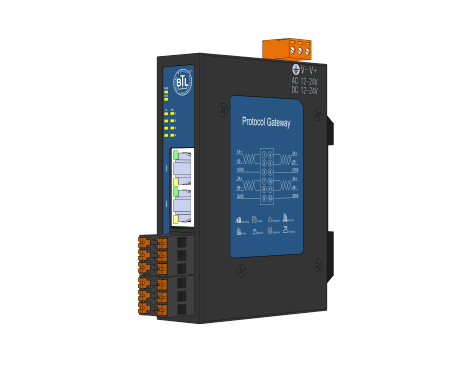
Sunfull provides protocol conversion gateways, Web HMI gateways, physical touchscreen panels, DDC controllers and software for building automation, industrial connectivity and energy data acquisition. A suitable model must meet the source-device protocol, destination-system protocol, physical-interface and capacity requirements together.
Find the acquisition driver
Acquisition protocol list — Chinese PDF and look for the equipment manufacturer, model and exact protocol name. Its entries include standard protocols, device-specific drivers and role or implementation variants. Inclusion in the list does not mean that every gateway model supports that entry. Check the individual product document and the equipment point list for your project.
Define the source and destination
| Integration requirement | What to check | Example document |
|---|---|---|
| Bring field equipment into a BACnet system | Distinguish BACnet/IP from BACnet MS/TP and confirm client, server or routing functions, object types and point capacity. | File unavailable in this language |
| Expose field data through Modbus | Distinguish Modbus RTU from Modbus TCP, confirm master/slave or client/server roles, and check register types, data formats and address bases. | File unavailable in this language |
| Browser-based HMI, remote monitoring or MQTT integration | Confirm the need for Web HMI pages, MQTT data services and other forwarding protocols. Distinguish a gateway from a device with a physical touchscreen. | File unavailable in this language |
| Connect to an OPC system | Distinguish OPC DA, OPC UA and OPC XML-DA, and confirm the required version and client/server role. | File unavailable in this language |
Check the complete model designation
ARM, Lite and E versions can differ in acquisition scope, forwarding capabilities and capacity. For example, page 3 of the File unavailable in this language explicitly lists Modbus RTU/TCP acquisition. Page 3 of the File unavailable in this language and File unavailable in this language documents lists Modbus RTU acquisition. A shared E suffix does not establish identical protocol support, and a forwarding capability must not be treated as an acquisition capability.
A practical selection workflow
- Prepare the equipment brand, complete model, communication protocol and point list, including read/write requirements and client/server roles.
- Use the product finder to select the required acquisition and output protocols. Multiple selections mean that the product must meet all selected requirements. You can enter an unlisted protocol for technical review.
- Check physical RS485, RS232, Ethernet, CAN, KNX TP or two-wire MBus interfaces and their quantities. A protocol name does not establish wiring requirements; an MBus driver does not by itself establish a native two-wire MBus port.
- Select the touchscreen requirement when a physical screen is needed. For wired digital or analog signals, check DI, DO, AI and AO hardware channels separately from software point capacity.
- Confirm point capacity, device count, update interval, power and site conditions, and read the linked product documents for limitations and optional modules.
Protocol adaptation and technical support
For equipment outside the list, provide its protocol document, model, point list, read/write requirements and communication conditions. Packet samples or test equipment may be needed. Feasibility, scope and delivery arrangements are confirmed after technical evaluation.
Technical support: +86 21 2025 2795; support@opcmaster.com. See Contact for service locations.